


Pregnancy Tracker & Day by Day
4.8405.00 Reviews
App Specs
- Version
- 1.6.0
- Updated On
- License
- Free
- Downloads
- 1,000,000+
- Developer
- Timskiy
- Categories
- Parenting
- Platform
- Android
Screenshots
 Analysis by AppCompare
During pregnancy, I find it helpful to have a clear place to follow the changing weeks and jot down questions that might otherwise slip my mind. Pregnancy Tracker & Day by Day is built around that kind of day-to-day companionship, with pregnancy progress, practical tracking tools, and guidance gathered in one app. Its focus is useful, but it is worth approaching any tracker as an organizer and source of general information—not a replacement for advice from a midwife or doctor.
Finding your way through the information
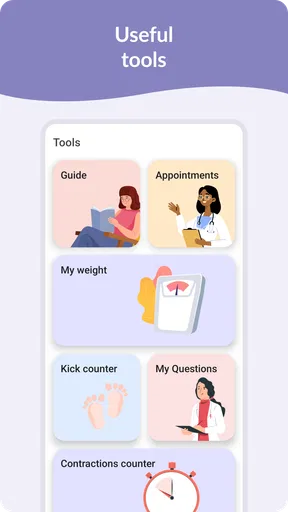
Pregnancy apps can easily become crowded with articles, reminders, charts, and personal updates. The appeal here is the combination of daily and weekly guidance with tools such as a kick counter and contraction timer. Rather than opening several separate resources whenever a new question comes up, you can use one app as a starting point for following the journey and keeping relevant notes in view.
The week-by-week structure is especially handy if you like information in small portions. A short check-in can be easier to fit into a busy morning than reading a long pregnancy guide from beginning to end. I would use the daily material as a prompt for curiosity, then save anything important as a question for an appointment instead of treating an in-app explanation as personal medical advice.
That distinction matters because pregnancy is not identical from one person to another. A general tip may be reassuring or interesting, but it cannot account for your health history, symptoms, or clinician’s instructions. Use the app to organize your attention, not to make a diagnosis; new, worrying, or urgent symptoms deserve proper medical guidance.
Useful routines for real days
A realistic routine might be checking the current week while waiting for a prenatal appointment, then noting a question before it disappears under the day’s errands. Later in pregnancy, a kick-counting session or timing contractions may be more useful than browsing general articles. Keeping those activities within the same pregnancy-focused app can make the transition from casual reading to a specific tracking task feel straightforward.
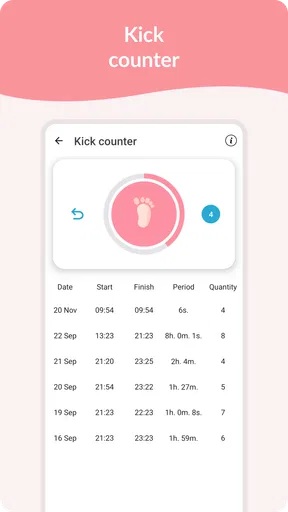
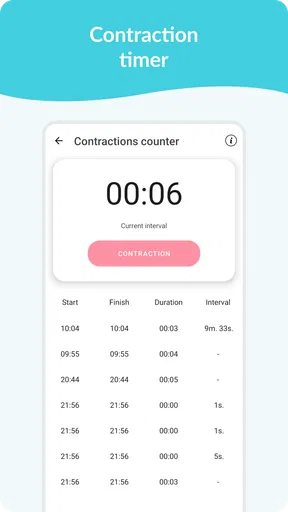
There is a small but useful habit I recommend: decide what you want to record before opening a tracker. For a movement count, focus on the session and follow the method your care team has recommended; for contractions, use the timer to collect observations rather than to decide on your own whether labor has begun. That way the app supports a conversation with a professional instead of creating false certainty.
The daily rhythm can also suit a partner or support person who wants a simple way to follow what stage the pregnancy is at. They can read the same general guidance and be more prepared to talk about what is changing, though the pregnant person should remain in control of personal health decisions and any information they choose to share.
Worth Reading Before You Choose

Flipboard Shows What News Apps Must Do Beyond the Feed

Switching to Android Auto Means Rethinking Your Driving Routine

Google Calendar Makes a Crowded Week Easier to Manage

Ludo King Makes the Most of the Minutes Between Plans

Baby Panda World Brings Quick Play to Modern Phones, but Its Game Library Feels Busy

ESPN’s Live Game View Makes Following Close Games Easier
Who is likely to appreciate it
I see the strongest fit for someone who enjoys brief, regular updates and wants a few pregnancy-specific tools close at hand. First-time parents may value having a structured way to learn the vocabulary and notice questions as they arise. Someone who has been pregnant before might prefer to skip the introductory material and use the practical trackers when they are relevant.
It may be less appealing if you want a strictly clinical record, detailed appointment management, or a minimal screen with no lifestyle-oriented content. In those cases, a clinician-provided tracking method, a paper notebook, or a dedicated medical record tool may suit you better. The right choice depends on whether you want an encouraging companion or a more formal system for health information.
Compared with a pregnancy book, an app is easier to dip into for a quick daily check and can put a timer or counter close by. A book, on the other hand, can be calmer for focused reading and does not invite you to check a screen repeatedly. Compared with a general calendar or notes app, a pregnancy tracker brings relevant context and purpose, while the simpler alternatives can be more flexible and less distracting. I would not keep duplicate records unless there is a clear reason; choose one place for routine notes and share the important details with your care team.
Getting Started with Pregnancy Tracker & Day by Day
First things first, let's talk about getting started. Installing Pregnancy Tracker & Day by Day is as straightforward as it gets. A quick download from the App Store or Google Play, and you’re all set to dive into the world of baby bumps and belly kicks.
The app greets you with a warm welcome and asks for some basic details like your due date. This is where the magic begins. From here on, it feels like you have a personal assistant, dedicated to keeping you informed and relaxed throughout your pregnancy journey.
Features That Make a Difference
Now, let’s dive into what makes this app a must-have. The interface is user-friendly and visually appealing, with a clean layout that’s easy on the eyes. But it’s the features that truly shine.
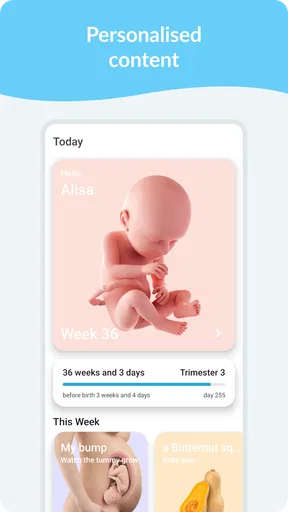
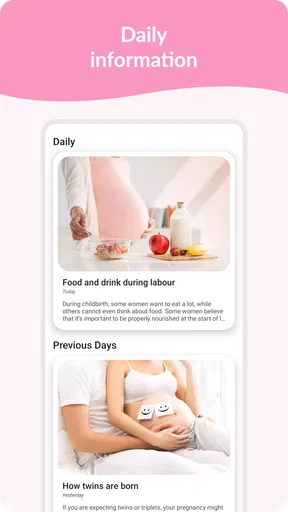
First up, the daily tips and articles. These are tailored to your specific week of pregnancy, offering insights, health tips, and little anecdotes that make each day feel special. It’s like having a pregnancy book that updates itself daily.
Then, there’s the baby size comparison. Ever wondered if your baby is the size of a raspberry or maybe a ripe avocado? This feature adds a fun twist to the usual tracking, and trust me, it becomes something to look forward to each week.
Health and Wellness at Your Fingertips
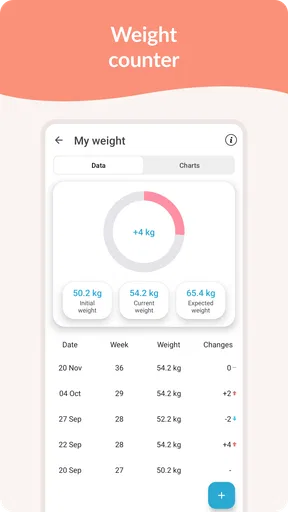
What truly sets the app apart is its focus on health and wellness. The weight tracker and symptom checker are indispensable tools. You can keep tabs on your weight changes and track any symptoms that pop up. The app provides advice on when you might want to check in with your healthcare provider, which can be a huge relief for first-time moms.
There’s also a kick counter and a contraction timer. These are lifesavers during the later stages of pregnancy, helping you monitor your baby’s movements and contractions with ease. The peace of mind they provide is invaluable.
A Community of Support
Pregnancy can sometimes feel isolating, but not with this app. The community forum is a wonderful space where you can connect with other moms-to-be. Share experiences, ask questions, and get advice from those who are in the exact same boat. It’s like having a little support group in your pocket.
The app also includes personal stories and testimonials. Reading about other moms’ journeys can be incredibly comforting and often brings a smile to your face.
Readability and navigation in everyday use
Pregnancy Tracker & Day by Day is a free parenting app from Timskiy. It has a 4.8 average from around seventy-six thousand ratings and has been installed over a million times. Those figures suggest that many people find the basic idea appealing, but they do not tell me whether its tone or organization will suit every reader.
The app is rated for Everyone, and version 1.6.0 requires Android 6.0 or later. It includes in-app purchases, with items ranging from $2.49 to $16.99. I would treat the free download as a chance to see whether the daily and weekly format fits your routine before deciding whether any paid extras are worthwhile; there is no need to spend just to establish whether you like the core approach.
For readability, the most useful test is practical: can you find the week’s guidance or the tracking tool you need without losing your place? I would keep the app’s role narrow at first—check the current update, use a counter only when needed, and avoid turning every notification or symptom into a reason to browse. That keeps pregnancy information from taking over a day that may already feel full.
Motor and sensory considerations
The tools invite different kinds of interaction. Reading an update is a low-effort activity, while recording movement or timing contractions requires more attention and deliberate input. If using a phone is uncomfortable, tiring, or difficult during a particular moment, it is reasonable to stop and use a method recommended by your care team instead. A tracker should reduce friction, not become another task to complete perfectly.
For someone sensitive to frequent screen use, I would make the app a planned check-in rather than a constant companion: open it at a comfortable time, read what is useful, and close it. A paper note can be easier for quick questions during an appointment, especially if handling a phone while talking feels distracting. These approaches can work alongside the app without requiring every detail to be entered digitally.
Using it across changing situations
Pregnancy changes what is useful from one stage to another. Early on, daily guidance may be the main attraction; later, a movement or contraction tool may matter more. A good practical choice is to learn where those tools are before you need them, rather than trying to explore the app while uncomfortable or preoccupied. You can also write down your care team’s preferred instructions in a separate, easy-to-reach place.
Phone access is not always convenient: you may be at work, commuting, sharing a device, or trying to rest. In those moments, a small paper list of questions or a calendar reminder can be more dependable than relying on an app session. If privacy matters in a shared-device household, be thoughtful about what you enter and who can see the screen; use only the information you are comfortable keeping there.
Remaining barriers and a balanced choice
My main reservation is the risk of reading general guidance too literally. Symptom information and movement tracking can help you notice patterns, but neither should be used to rule out a problem or delay contacting a professional. The emotional tone can also be a mixed fit: week-by-week comparisons and stories may feel warm to one person and unnecessary or stressful to another, particularly if pregnancy is not following the expected path.
There is also a trade-off between having several related tools together and keeping your records simple. If you already use a clinic’s preferred method for tracking, follow that first rather than maintaining competing counts. If you prefer not to read community posts or personal stories, focus on the practical parts you actually want; you do not need to treat every section as essential.
Pregnancy Tracker & Day by Day was released on August 7, 2019, and its current version is 1.6.0. I would choose it if a friendly, pregnancy-specific companion sounds more useful than a plain calendar, and skip it if you need a clinical system or find daily pregnancy content emotionally tiring. The app’s best role is supportive and selective: use the parts that make your routine clearer, and leave the rest.
A Community of Support
Pregnancy can sometimes feel isolating, but not with this app. The community forum is a wonderful space where you can connect with other moms-to-be. Share experiences, ask questions, and get advice from those who are in the exact same boat. It’s like having a little support group in your pocket.
The app also includes personal stories and testimonials. Reading about other moms’ journeys can be incredibly comforting and often brings a smile to your face.
Final Thoughts on Pregnancy Tracker & Day by Day
All in all, Pregnancy Tracker & Day by Day is more than just an app; it’s a companion for your pregnancy journey. It keeps you informed, entertained, and reassured, all while adding a personal touch that makes it feel like it’s been crafted just for you.
Whether you’re a first-time mom or adding another little one to the family, this app is a fantastic resource. So, if you’re looking for an app that offers a little bit of everything – education, entertainment, and empathy – you’ve found your match. Happy tracking, and here’s to a beautiful and healthy pregnancy journey!
Pros
- User-friendly interface for easy navigation.
- Provides daily health tips and advice.
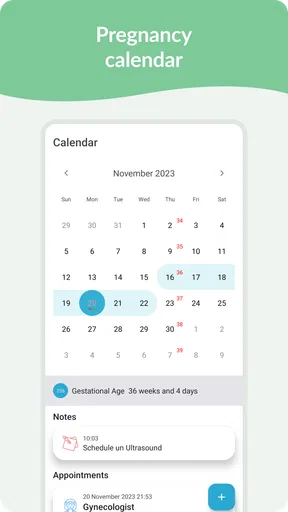
- Customizable reminders for appointments.
- Tracks baby's growth with detailed visuals.
- Includes a supportive community forum.
Cons
- Limited free features; premium required.
- Occasional ads can disrupt experience.
- Some features require internet access.
- Lacks integration with other health apps.
- Notifications can be overly frequent.
FAQs for Pregnancy Tracker & Day by Day
What features does the Pregnancy Tracker & Day by Day app offer?
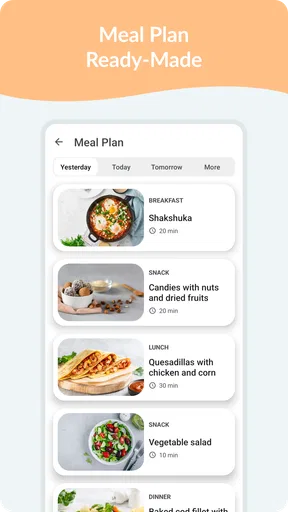
The Pregnancy Tracker & Day by Day app provides a comprehensive suite of features, including daily updates on fetal development, personalized health tips, a contraction timer, and a kick counter. It also offers nutritional advice and access to a community forum where expectant parents can share experiences and seek support.
Is the Pregnancy Tracker & Day by Day app free to use?
The app is available for free with basic features. However, it offers in-app purchases for premium content, such as advanced tracking options and exclusive expert articles. This allows users to customize their experience based on their needs and preferences, ensuring they have access to the most relevant information.
How accurate is the information provided by the Pregnancy Tracker & Day by Day app?
The app sources its information from verified medical and health experts. While it provides valuable insights and guidance, it is always recommended to consult with a healthcare professional for personalized medical advice. The app is designed to complement, not replace, professional consultations.
Can partners or family members access the Pregnancy Tracker & Day by Day app?
Yes, the app allows users to share updates with partners or family members. This feature can be particularly useful for keeping loved ones informed and involved in the pregnancy journey. Users can choose what information to share, ensuring privacy and control over personal data.
Does the Pregnancy Tracker & Day by Day app work offline?
The app requires an internet connection for initial setup and accessing some features, such as community forums and content updates. However, once data is downloaded, users can access basic tracking features offline. This makes it convenient for users with limited internet availability.


